Is it possible to, all in one line, draw a curve with the pen tool, then draw a straight line from the last anchor of the previous curve? I can only get a second curve to continue from the original curve. I don’t want two separate lines either. Thoughts?
Hello!
Yes, it is possible to draw a single line that contains both curved and straight segments.
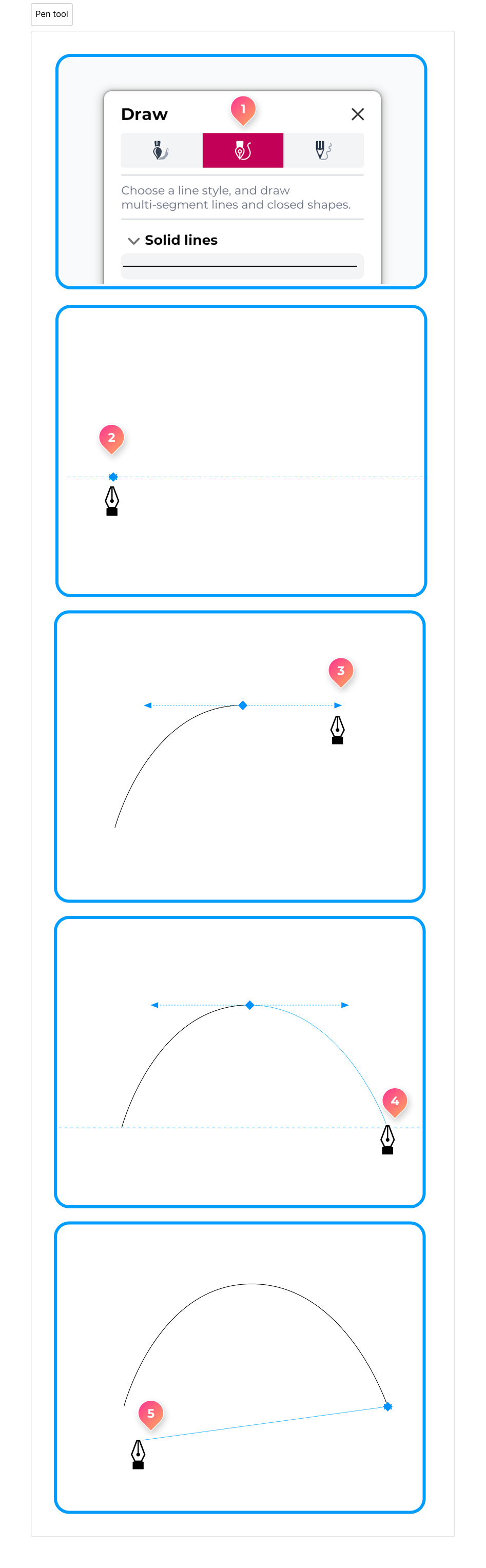
To do this, follow these steps:
- Select the Pen tool from the Draw panel.
- Click on the page to place a node.
- Click and drag to place a node with a curved segment.
- Click once to place a second node to complete the curved segment.
- The next segment will be straight if you click once without dragging the cursor.