Manage AI credits
AI credits determine how many times you can use Generative AI tools. Credits are allotted to your account based on your available licenses or product. If you subscribe to CorelDRAW Go, you receive a set of recurring credits each month.
 To view your available credits
- In the toolbox, select AI Generate
 .
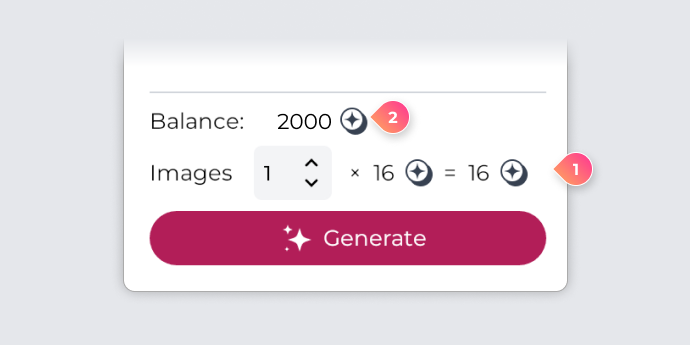
. - Your credit balance is displayed above the Generate / Inspire me button at the bottom of the panel.
 Tips
Tips
- You can also find your credit balance by visiting the AI Credits section in My Account.
- If you run out of credits, you can’t generate new content until your credits refresh next month or you purchase additional credits.
- To purchase additional credits, visit www.coreldraw.com/creditpacks.
 Note
Note
- There are three types of credits:
- Trial credits are allotted only once at the start of a trial.
- Recurring credits are allotted monthly and reset at the start of each month. Unused credits do not carry over. These are included with your CorelDRAW Go subscription.
- Non-recurring credits are allotted only once for products bought as a one-time purchase and do not recur. These credits never expire and remain available until used.
- For more information about AI credits, please visit our FAQ
Manage image generation
Each image you generate uses some of those credits, so creating many images at once can quickly deplete your balance. Reviewing the cost per image for each model and your remaining credits helps you plan your variations and make the most of your credit allotment.
 To view the cost per image
- In the toolbox, select AI Generate .
- Select a model from the Model dropdown list. The cost per image appears below the model name and description.
Tips
- The cost per image, as well as the total cost for the selected number of images, and your remaining credits also appear next to the Images list box.
To specify how many images to generate
- Specify a number in the Images box.